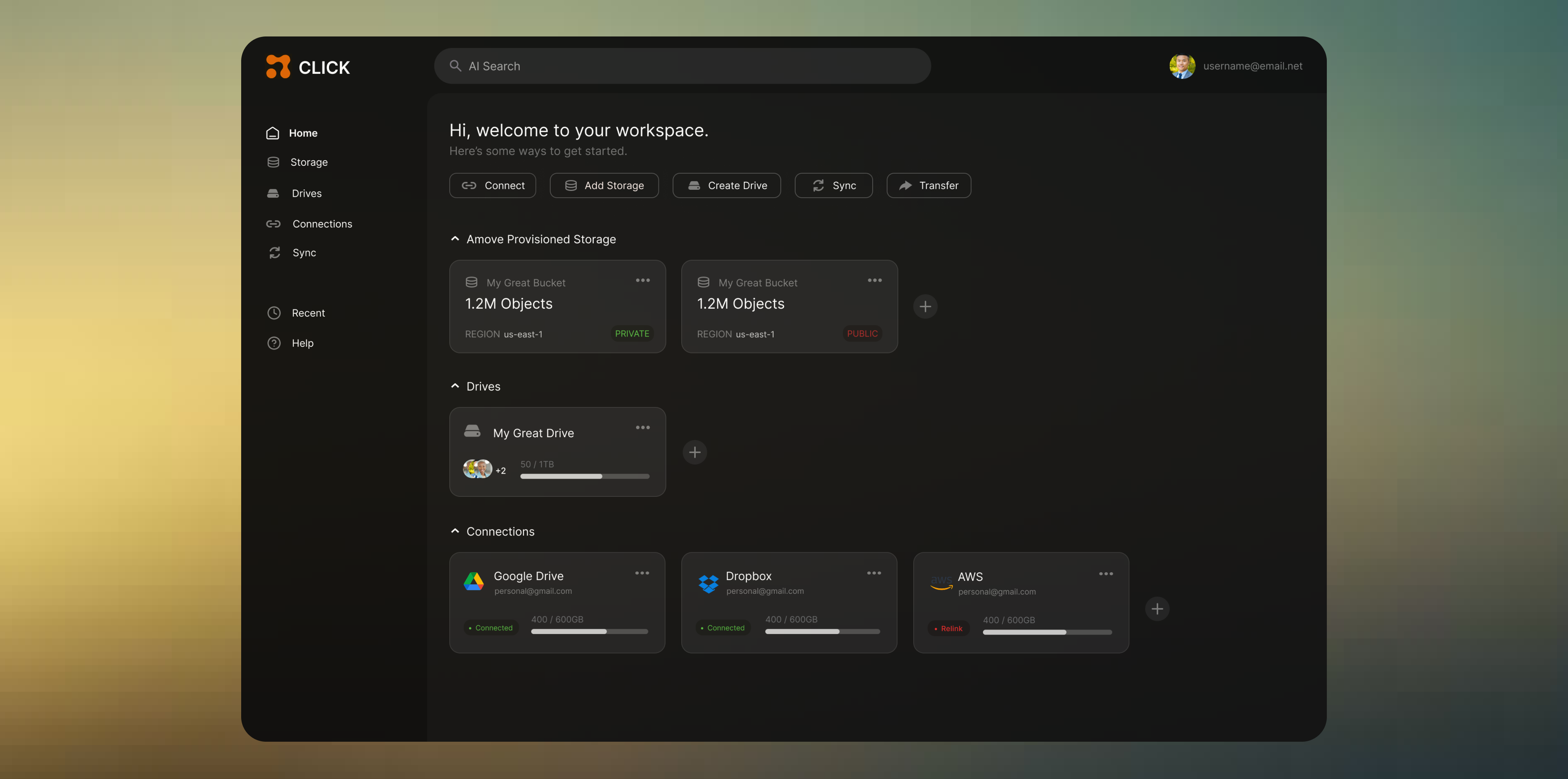
Amove Dashboard: UI & UX Refinement in a Startup Environment
Amove is a cloud storage management platform that unifies distributed storage systems and simplifies workflows for teams and businesses. The internal web dashboard serves as a central hub for users to manage connected cloud drives, monitor syncs and backups, and configure account settings.
My role focused on taking existing UX wireframes created by a previous team and translating them into a refined UI with thoughtful UX improvements that enhanced clarity, hierarchy, and overall usability under real-world startup constraints.
Timeline
Jan 2025
My Role
Product Design Intern
Scope
UI Design
Wireframing
Iteration
Prototyping
Tools
Figma
Preview
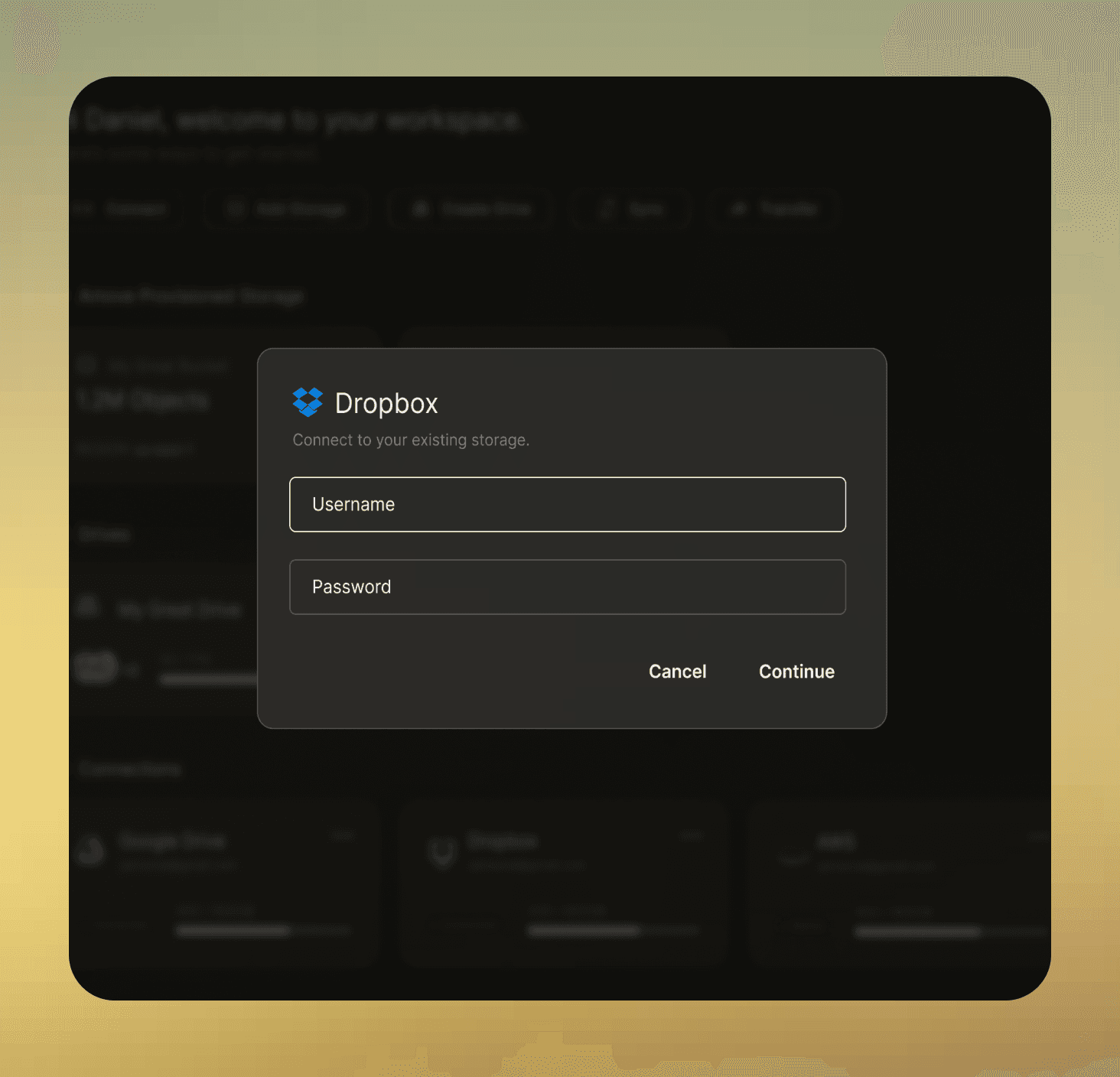
My role focused on taking existing UX wireframes created by a previous team and translating them into a refined UI with thoughtful UX improvements that enhanced clarity, hierarchy, and overall usability under real-world startup constraints.
Interpreted existing UX wireframes into high-fidelity UI designs
Designed the full dashboard interface in Figma
Made independent decisions around hierarchy, spacing, and interaction patterns
Constraints & realities
This project took place under real startup conditions.
Early-stage product with evolving requirements
No access to users or user research
Worked independently from the original UX team
Rapid iteration cycles based on leadership feedback
UX Audit
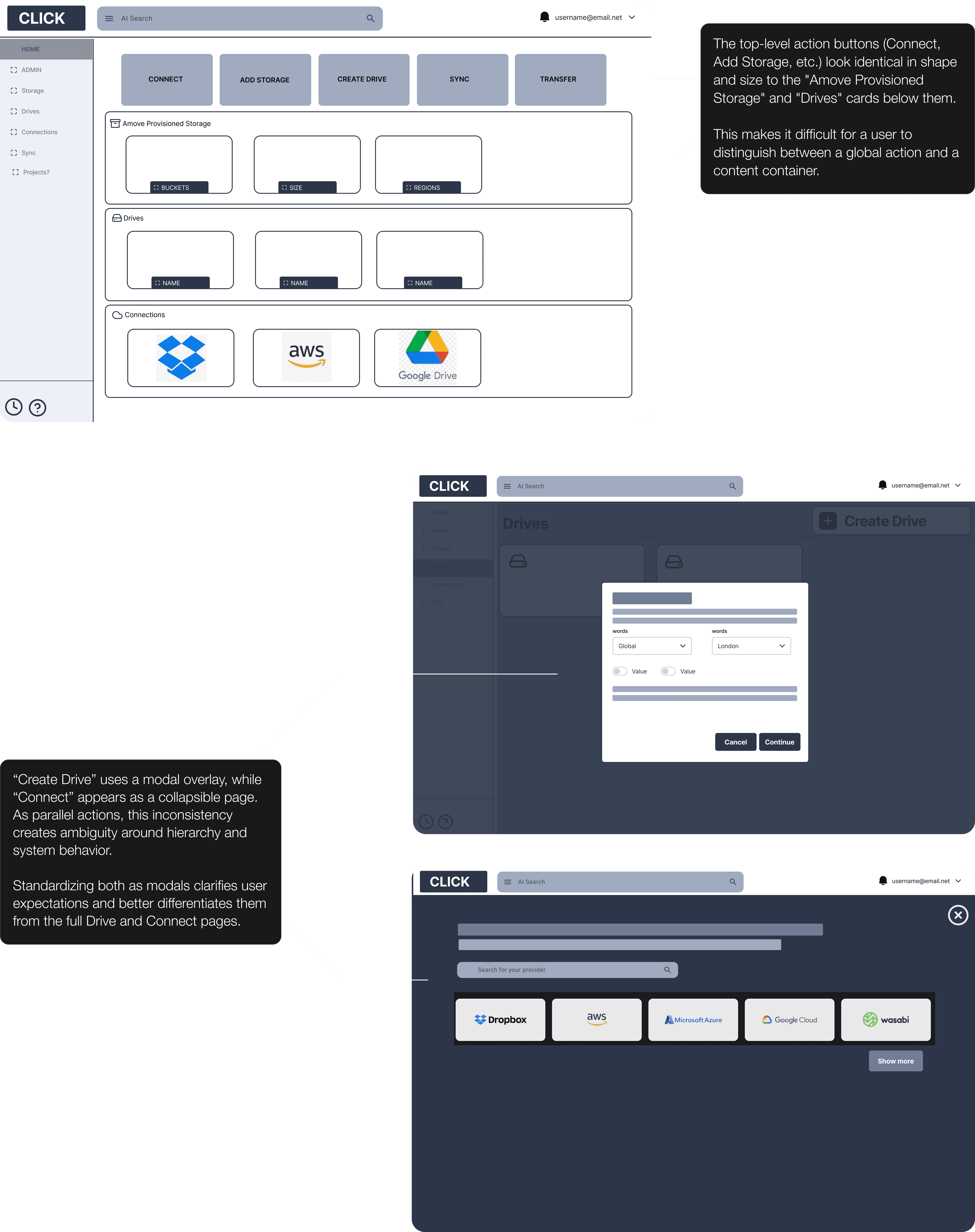
Auditing & Refinement
Differentiated action buttons from informational cards, ensuring primary actions were immediately recognizable.
Introduced subtle visual differentiation between card types to better communicate their functions, while maintaining consistent sizing to preserve layout stability.
"Connect" Flow
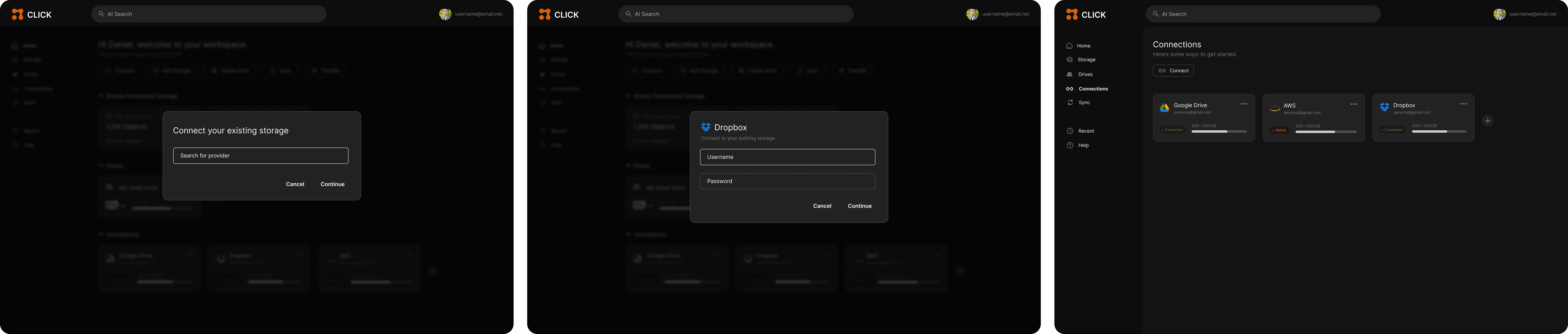
Figma
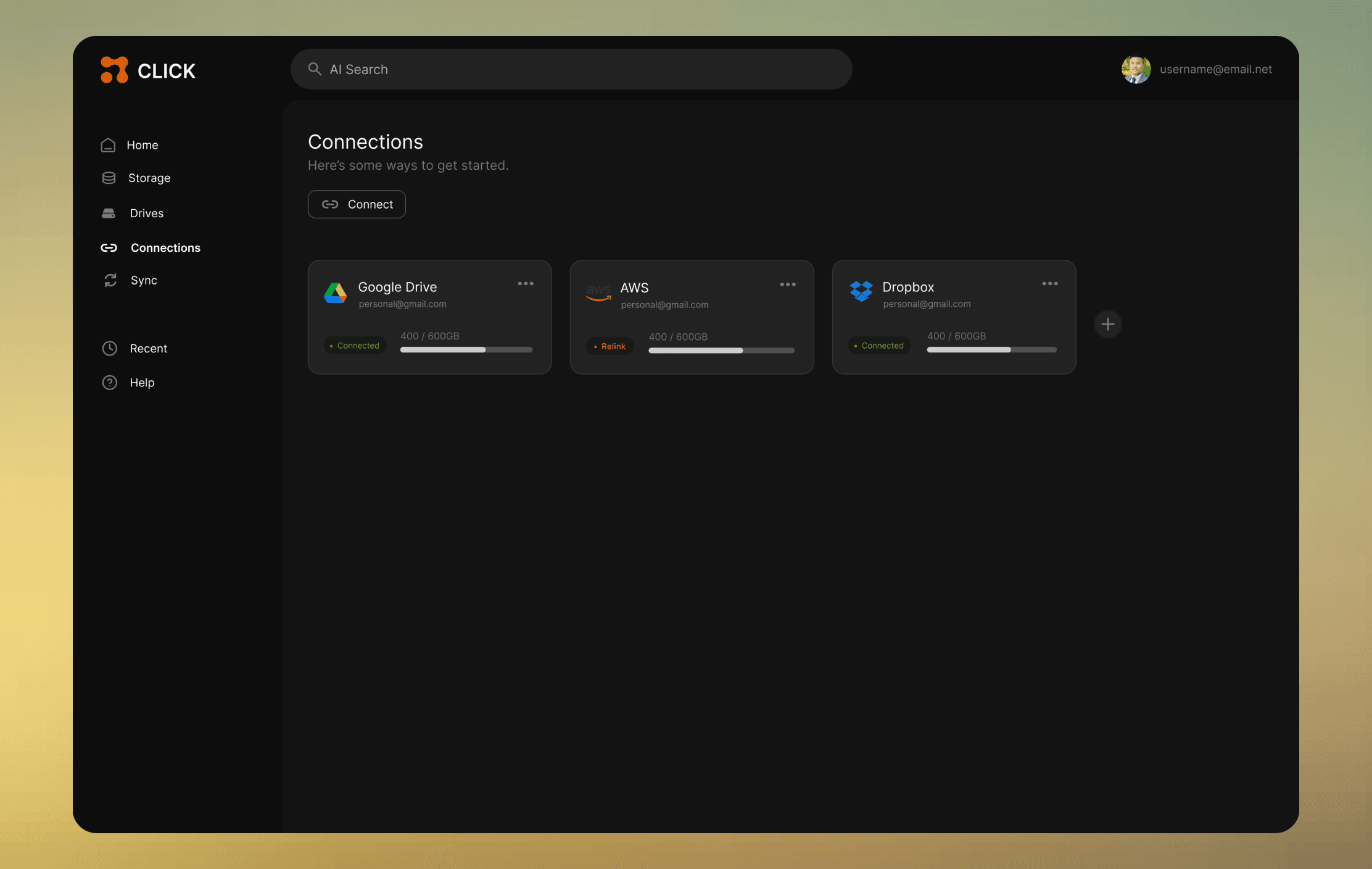
Designing at a startup taught me how to make decisions with incomplete information, work independently, and clearly justify UI choices in the absence of formal process.
What I’d improve with more time:
Validate assumptions through user testing
Collaborate earlier with engineering
Develop a reusable component system
like what you see?
Feel free to check out my next case study, or send me a message on Linkedin!
2026 portfolio by anna knick
aknick90@gmail.com